
The Evolving Needs of Modern Businesses
Customer expectations have shifted dramatically over the past few years. Shoppers want quick checkouts, multiple payment options, and personalized service. At the same time, business owners need instant access to their numbers.
The gap between front-end sales and back-end accounting has become a real problem. When your POS system doesn’t talk to your accounting software, you end up doing double work. Manual data entry eats up time and creates mistakes.
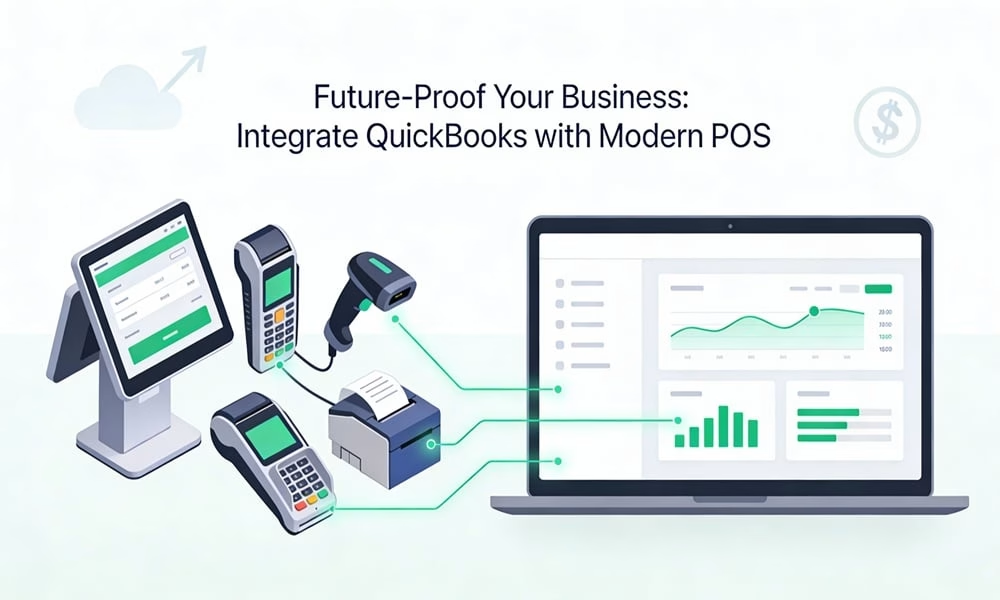
That’s where integration comes in. By connecting QuickBooks with a modern POS system, you create a workflow that updates automatically. Sales data flows straight into your books. Inventory adjusts in real time. You get a clear picture of your business without the headaches.
This combination isn’t just about convenience. It’s about building a business that can adapt to whatever comes next. When your systems work together, you’re ready for growth, new locations, or changing market conditions.
Why QuickBooks Remains the Accounting Backbone for Small Businesses
QuickBooks has been the go-to accounting solution for small businesses for good reason. It’s simple enough for owners without accounting degrees, yet powerful enough to handle complex needs. You can send invoices, track expenses, run payroll, and prepare taxes all in one place.
The software scales as you grow. Start with basic tracking, then add features when you need them. Many business owners appreciate that they don’t have to switch systems every time they expand.
Integration options set QuickBooks apart from competitors. It connects with hundreds of business tools, from payment processors to inventory management platforms. This flexibility means you can build a tech stack that fits your specific needs.
The reporting features give you insights that matter. Cash flow statements, profit and loss reports, and balance sheets help you understand your financial health. Come tax season, everything is organized and ready to go.
Here’s the key point: upgrading to a new POS doesn’t mean starting over with your accounting. QuickBooks stays as your financial foundation. You’re simply adding modern tools that feed data into the system you already trust.
Think of it as adding wings to a solid structure. Your accounting stays stable while your sales operations become more efficient.
Bridging the Gap: Integrating QuickBooks with Modern POS Systems
Integration means your POS and accounting software share information automatically. When a sale happens, the transaction appears in QuickBooks within minutes or seconds. No typing, no manual transfers, no forgotten entries.
This connection creates several immediate benefits. Real-time financial visibility tops the list. You can check today’s sales from your phone while you’re away from the store. Cash flow becomes predictable because you see money moving in and out as it happens.
Manual data entry drops significantly. Your staff focuses on customers instead of paperwork. Error rates fall because computers don’t make typos or skip lines. Month-end closing becomes faster and less stressful.
Customer experience improves too. Modern POS systems process payments quickly, accept mobile wallets, and email receipts automatically. Inventory accuracy means you never promise products you don’t have.
For businesses exploring flexible and scalable options, cloud POS solutions can offer real-time accessibility and simplified integration with QuickBooks. These systems let you access data from anywhere and often include built-in connectors for popular accounting platforms.
Integration methods vary based on your needs. Some POS systems have native QuickBooks connectors built right in. You flip a switch, enter your credentials, and data starts flowing.
Third-party middleware acts as a translator between systems. Platforms like Zapier or specialized accounting bridges can connect tools that don’t normally talk to each other. These solutions often offer customization options for specific workflows.
API connections provide the most flexibility. If you have custom needs or unique processes, developers can build direct connections between your systems. This approach requires more setup but delivers exactly what you want.
The technical side might sound complicated, but most modern integrations are straightforward. Many providers offer guided setup processes that walk you through each step.
Best Practices for Seamless Integration and Data Synchronization
Getting integration right requires attention to detail upfront. Start with your product catalog. Every item needs to match between your POS and QuickBooks. Names, SKUs, and categories should be identical. Otherwise, you’ll see duplicate entries or missing products.
Tax settings deserve special care. Map your POS tax categories to the correct QuickBooks tax codes. Different jurisdictions have different rates, and mistakes here create problems at filing time.
Inventory counts need to sync properly. Choose whether you want real-time updates or scheduled syncs. Real-time works well for high-volume businesses that need instant accuracy. Daily syncs might be enough if your inventory changes slowly.
Set up routine audits to catch discrepancies early. Compare your POS reports to QuickBooks totals weekly or monthly. Small differences can snowball if left unchecked.
Working with certified specialists makes the process smoother. QuickBooks ProAdvisors and POS consultants have seen common pitfalls and know how to avoid them. They can configure your integration correctly the first time, saving you from downtime and frustration later.
Security matters when systems share data. Use strong passwords and enable two-factor authentication on both platforms. Choose integration tools from reputable providers with solid security track records.
Cloud systems require extra attention to access controls. Decide who needs what level of access and set permissions accordingly. Not every employee needs to see financial reports or change inventory quantities.
Regular backups protect against data loss. Even with automatic syncing, things can go wrong. Cloud systems usually handle this automatically, but verify that backups happen and test restoration occasionally.
Turning Data into Decisions: Unlocking Insights with a Hybrid System
Connected systems create a complete picture of your business. Sales trends become obvious when POS data flows into QuickBooks reports. You can see which products drive profit and which barely break even.
Cash flow forecasting gets easier. Your QuickBooks data shows money coming in from sales and going out for expenses. You can predict slow periods and plan accordingly. No more surprises when rent comes due.
Analytics dashboards bring everything together visually. Charts and graphs make patterns obvious at a glance. You might notice that certain items sell better on weekends or that specific locations outperform others.
This visibility helps you make smarter choices. Should you order more of a popular item? Which slow movers should go on sale? When is the best time to hire seasonal help? Your data answers these questions.
The hybrid approach builds resilience too. When challenges arise, you have the information to respond quickly. Market changes, supply chain issues, or unexpected opportunities all become manageable when you understand your numbers.
Adaptability comes from having tools that work together. Adding a new revenue stream or opening another location becomes simpler. Your systems already communicate, so expansion doesn’t mean starting from scratch.
Conclusion
Pairing QuickBooks with a modern POS system gives you the best of both worlds. You keep the reliable accounting foundation you trust while gaining the efficiency and insights that modern technology provides.
This isn’t about chasing the latest trend. It’s about building a business structure that can handle whatever comes next. Whether you’re growing, pivoting, or maintaining steady operations, integrated systems give you the flexibility to adapt.
Take time to evaluate your current setup. Look at where manual work slows you down or where errors creep in. Those pain points are opportunities for integration. Your business deserves tools that work as hard as you do.




Leave A Comment
You must be logged in to post a comment.